
How to Rank Your Website Higher on Google Maps: A Complete Guide for Hospitality Business Owners
Getting your business to show up at the top of Google Maps searches can bring more local customers through your door. When someone looks for a service or product nearby, Google lists businesses on the map.
If your business ranks higher, you get more visibility and a better shot at new customers.
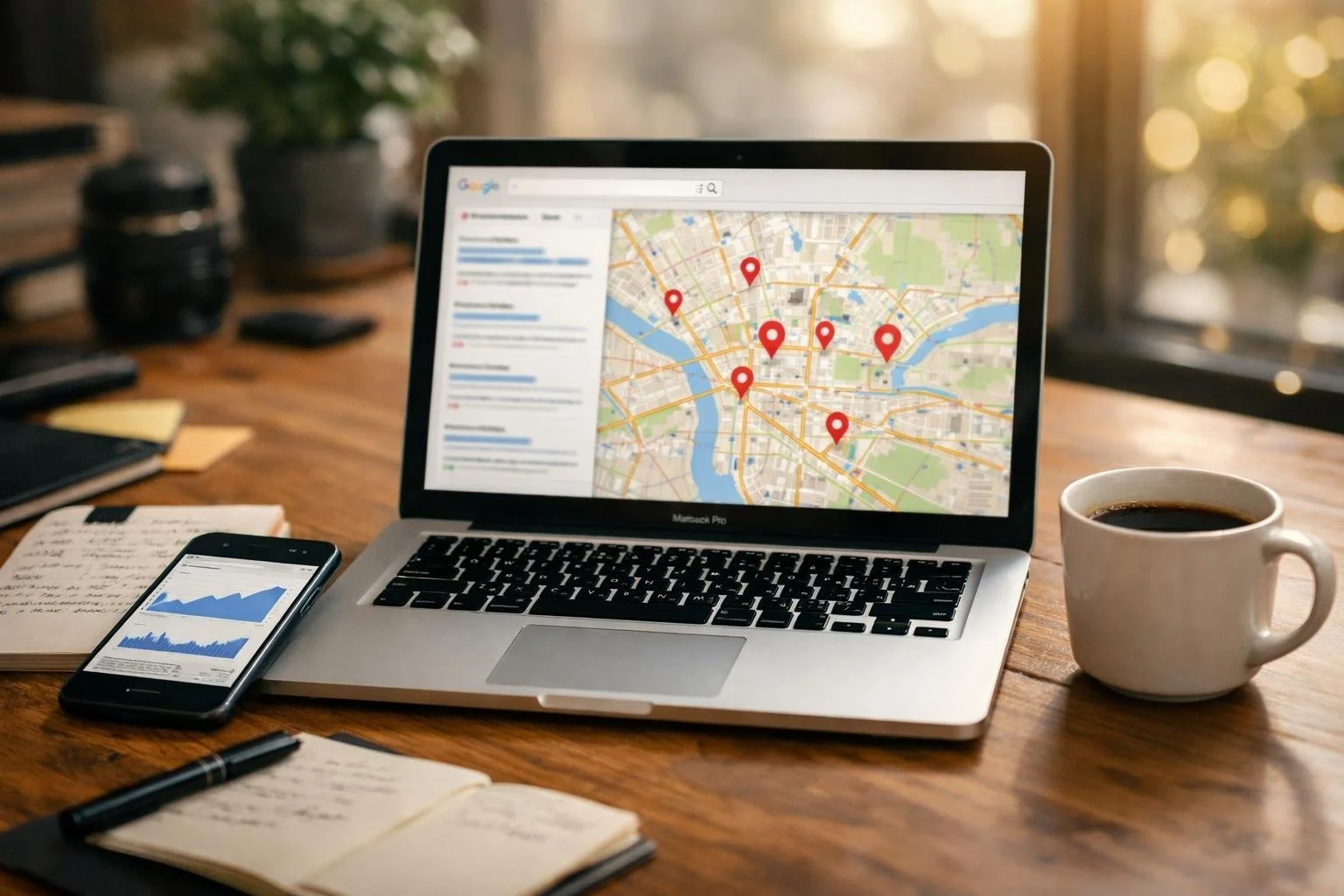
Improving your Google Maps ranking means optimising your Google Business Profile, keeping information consistent across the web, collecting customer reviews, and boosting your local online presence. It’s not rocket science, but it does take some attention to detail—like making sure your business info is accurate and your website works well on mobile.
You don’t need a tech background to make real improvements. Small changes can help your business stand out in local search results.
This guide covers practical steps to boost your visibility on Google Maps. You'll find tips on managing your profile, building trust through reviews, and strengthening your local presence—on and off your website.
1) Optimise your Google Business Profile with complete and accurate information
Your Google Business Profile is the foundation of your local search visibility. When you fill out your profile with accurate details—name, address, phone, and hours—Google gets what it needs to show your business to local customers.
Businesses with detailed profiles get about seven times more clicks than incomplete ones. They’re also 70% more likely to attract walk-in traffic.
Start by verifying your listing through Google’s process. This confirms you own the business and unlocks all profile features.
Fill in every field you can: business description, service areas, website URL, categories, and unique attributes. Upload clear, real photos of your space, products, and team (skip the stock images—people can tell!).
Keep your info current. Change your hours for holidays and events, and update your phone or address as soon as they change. Outdated details annoy customers and can tank your rankings.
2) Use consistent NAP (Name, Address, Phone number) across all online platforms
Your business name, address, and phone number need to look exactly the same everywhere online. This is called NAP consistency, and it helps Google trust you.
When your NAP matches across platforms, Google can easily verify your location. That improves your chances of ranking higher on Google Maps.
Check your NAP on your website, Google Business Profile, Facebook, and directories. Even tiny differences—like “Street” vs “St” or different phone formats—can cause headaches. Inconsistent NAP data confuses search engines and makes it tough for customers to find you.
You can use Moz Local or BrightLocal to scan for inconsistencies. Fix errors on big sites like Google Business Profile and Yelp first.
Get in the habit of checking your business listings every so often. Update your NAP whenever you move or change your number.
3) Encourage and respond to genuine customer reviews promptly
Customer reviews have a direct impact on your Google Maps ranking. The more high-quality reviews you have, the more Google sees your business as trustworthy and active.
Ask happy customers to leave reviews after their visit. You can do this with follow-up emails, texts, or just by asking in person. Make it simple by sharing a direct link to your Google Business Profile.
Don’t offer discounts or freebies for reviews. Google prohibits fake or incentivised reviews, and it’s just not worth the risk.
When people leave reviews, respond within a day or two. Quick replies show you care about customer feedback.
Reply to both the good and the bad. Thank people for positive feedback, and handle negative comments professionally. Your responses tell potential customers you’re engaged and responsive.
While review responses don’t directly boost rankings, they build trust and spark engagement. That activity can help you show up more often in local searches.
4) Add high-quality, relevant photos to your business listing
Photos make a huge difference in how your business looks on Google Maps. When you add real, category-specific photos, customers get a sense of what your business offers before they even visit.
Your Google Business Profile lets you show off your space with images that look authentic. High-quality, real photos grab more attention than listings with none.
Upload clear, well-lit shots of your products, services, or location. Skip the blurry or dark ones—they’re just not helpful.
Business-specific photos help people make decisions by highlighting what matters to them. Show your storefront, interior, team, and what you actually offer.
Keep your listing fresh by adding new photos every few weeks. This tells people (and Google) that your business is active and up to date.
Make sure your images show what customers will really see. Avoid stock photos or anything that looks fake—people can spot the difference.
5) Select the most appropriate business categories in your profile
Your business category tells Google what you do and affects where you appear in search results. Choosing the right primary category has a big impact on your local search rankings.
Pick a category that clearly describes your main service or product. Be specific. If you run a pizza place, “Pizza restaurant” works better than just “Restaurant.”
Add secondary categories for other services you offer, but only if they really fit. Irrelevant categories won’t help and just confuse people.
Google has hundreds of categories, so take a few minutes to look through them. The ones you choose tell customers what you do and help Google match you with the right searches.
Review your categories every few months. If your business changes or grows, update them to stay accurate and visible.
6) Publish regular Google Posts to engage your local audience
Google Posts let you share updates right on your Business Profile. These show up when people search for your business on Google and Maps.
You can create posts to share news, offers, or events with potential customers. It’s a good way to help them decide if they want to visit.
Posting regularly shows you’re active and paying attention. Fresh content gives people a reason to choose you over competitors who never update their profiles.
Publishing Google Posts can help your local search visibility and affect how you rank on Maps. Google likes businesses that interact with their audience.
Keep your posts relevant to your local customers. Share special deals, new products, events, or important business updates.
Posts only stay up for seven days, so you’ll need to add new ones often. Try to post at least once a week to keep your profile looking lively and current.
7) Build local backlinks from trusted and relevant websites
Local backlinks from credible sites in your area can really move the needle for Google Maps rankings. These links show Google that your business is a trusted part of the local community.
Try to get links from websites that serve your region. Local news, community blogs, and area directories work better than random national links.
Focus on quality, not just quantity. Google checks how many trusted sites mention and link to your business when ranking local results.
Partner with local organizations, sponsor events, or offer quotes to journalists. These efforts naturally lead to backlinks from relevant sources.
Look at the links your competitors have. This helps you find platforms that work in your area.
Build relationships with other local businesses. Join your local chamber of commerce or business groups for more linking opportunities.
8) Ensure your website is mobile-friendly and loads quickly
Most people search for local businesses on their phones. If your site doesn’t work well on mobile, you’ll lose customers and drop in Google Maps rankings.
Google uses mobile-first indexing, so it checks your mobile site first when ranking you. A clunky mobile site will fall behind competitors with better designs.
Your site should load in three seconds or less. Slow sites drive visitors away, and Google notices when people leave quickly.
Test your site on different phones to make sure buttons are easy to tap and text is readable. Your phone number and address should be clickable so people can call or get directions instantly.
Use a responsive design that fits any screen size. Compress images and clean up extra code to speed up loading. These tweaks help you rank higher and give customers a smoother experience.
9) Embed a Google Map with your business location on your website
Adding a Google Map to your website helps visitors and search engines figure out where you are. When you embed a map on your site, Google picks up extra context to verify your business details.
It's pretty simple. Head to Google Maps, search for your business, and find the "Share" button.
Choose "Embed a map," copy the HTML code, and drop it into your website wherever you want the map to show up. Most people stick it on their contact page or homepage since that's where folks look for directions.
This makes life easier for anyone trying to visit you. Plus, it just looks professional.
An embedded map also ties your website to your Google Business Profile, which is a nice consistency signal for Google. That kind of match-up helps Google trust your info.
Make sure the map displays well on mobile. Local searches happen mostly on phones these days, so test it on a few screen sizes for a decent user experience.
10) Use local keywords naturally in your business description and website content
Your Google Business Profile description should include location-based terms that people actually use. Mention your city, neighborhood, or region, but do it in a way that feels normal—nobody likes awkward keyword stuffing.
When you write your business description, talk about what you offer and where you serve. Drop your location in once or twice, but don't overdo it.
Your website content should follow the same rules. Work local keywords into your page titles, headings, and main text only where they fit.
Adding location terms helps Google figure out your service area. You can even use local keywords in image file names and alt text, which gives Google more hints about your relevance.
Balance is important. Your content should sound smooth and helpful for real people, not just robots. Local keyword research can help you reach more customers if you use those terms naturally throughout your site and listings.
Write content that actually helps people searching locally. Answer their questions, and add location terms where it makes sense.
Understanding Google Maps Ranking Factors
Google cares about three main things when ranking businesses in local map results: proximity, relevance, and prominence. Proximity is just how close you are to the searcher. Relevance checks if your listing matches what someone wants. Prominence is all about how well-known your business is, both online and offline.
The Role of Proximity, Relevance, and Prominence
Google's local search algorithm leans on those three pillars to decide your spot in the map results.
Proximity is the physical distance between your business and whoever's searching. If someone types "coffee shop" while standing in central Manchester, Google shows the closest options first.
You can't move your business, but you can help Google by making sure your address is accurate and matches everywhere online. Relevance is about how well your listing fits the search. Google looks at your business name, category, description, and other details to figure this out.
Pick the right primary category—if you run a pizza place, don't pick "Restaurant," pick "Pizza Restaurant." That helps Google match you with the right searches.
Prominence is how well-known you are. Reviews play a big part here, and Google also looks at links to your site, mentions around the web, and your overall online presence.
Effect of Google Business Profile Completeness
How complete your Google Business Profile is really affects your ranking. If your profile looks half-finished, Google might assume your business isn't active or trustworthy.
Fill out every section—business hours, phone number, website, services, the whole lot. Upload good photos of your place, your products, and your team.
Add details like attributes (wheelchair access, outdoor seating), payment methods, and appointment links if they apply. The more info you give, the easier it is for Google to match you with searches. If you post offers or events regularly, Google sees your business as active and engaged.
Optimising Your Google Business Profile
Your Google Business Profile is the backbone for showing up in local searches and Google Maps. Complete info, good photos, and managing your reviews all shape how Google presents you to potential customers.
Maintaining Accurate Business Information
Your info needs to be right and match everywhere. Type in your exact business name, full address, phone number, and website URL—no typos or weird variations.
Choose the most specific business categories that actually fit what you do. Your primary category matters most, so pick the one that matches your main service or product. Add secondary categories if they fit, but don't get greedy and pick unrelated ones.
Set your business hours accurately and update them as soon as they change. List special hours for holidays or events. If you offer specific services, describe each one in your Google Business Profile—that helps Google send you the right customers.
Add attributes like wheelchair access, free Wi-Fi, or outdoor seating. These details help people decide if you're the right fit and also make your profile more complete.
High-Quality Photos and Visual Content
Photos make a huge difference in how customers see your business. Upload clear, well-lit pics that actually show your location, products, and services.
Some must-have photos:
Exterior shots with your storefront and signs (make sure the picture looks real, not like a stock photo)
Interior views so people know what to expect
Photos of your products or finished work
Your team members in action
Your logo as your profile pic
Google says to upload at least 10 photos to start, but honestly, more is better if they're good. Freshen them up now and then to show what's new or in season.
Shoot in good light with a clean background. Keep the images sharp and sized right. Skip the text overlays, filters, or any promo stuff that breaks Google's rules.
Encouraging and Responding to Reviews
Reviews are huge for local ranking. Both the number and quality matter. Ask happy customers for reviews—maybe right after you help them out or in a follow-up message.
Make it easy for people by sharing your direct review link, which you can grab from your Google Business Profile dashboard. Send it by email or text, or even put it on receipts.
Reply to every review, good or bad, within a day or two. Thank people for positive feedback and handle negative reviews calmly and professionally. Your replies show potential customers that you actually care about customer satisfaction.
Don't use copy-paste responses—make each reply personal. Mention something specific from their review so they know you read it. Never argue or get defensive, even if the review feels unfair.
Frequently Asked Questions
Local map rankings come down to profile completeness, review quality, consistent citations, and steering clear of setup mistakes that can block your visibility.
What factors most influence local ranking in the map results?
Google looks at three main things for map rankings. Relevance is how well your business matches a search. Distance is how close you are to the searcher. Prominence is all about how well-known your business is, based on what Google knows about you.
Your Google Business Profile completeness really matters for all three. Reviews, ratings, and the number of quality citations you have boost your prominence. The categories and info you fill out affect relevance.
You can't move your physical location, but you can control your Google Business Profile and keep your citations consistent.
How can I optimise my Google Business Profile to improve visibility?
Fill out every section with accurate info. Your business name, address, and phone number should match exactly everywhere—no exceptions.
Pick your primary category carefully since it has the biggest impact on what searches you show up in. Add secondary categories only if they truly fit. Write a business description that actually explains what you do and who you help.
Upload good, real photos of your business, products, and services, and keep them updated. Posts, updates, and answering questions keep your profile active. Google rewards active, thorough profiles with better rankings.
Which citations and directory listings matter most for local SEO?
Your NAP info (name, address, phone) should be consistent across the big data aggregators and directories. Start with Apple Maps, Bing Places, and Yelp. Industry-specific directories are usually more valuable than generic ones.
Consistency is more important than sheer volume. One wrong phone number or address can mess things up with Google. Double-check that your business info matches everywhere, down to the punctuation.
Local chamber of commerce sites and government business registries carry a lot of weight. Smaller local directories for your city or region can help too—don't overlook them.
How do customer reviews affect map rankings, and what is the best way to earn more?
Reviews directly shape your prominence in map results. The number, timing, and average rating all play a part. Fresh reviews matter more than old ones.
Ask for reviews at the right time—after a good purchase or a positive interaction. Make it easy by sending a direct link. Never pay for reviews or write fake ones; Google catches on and will penalise you.
Reply to all reviews, positive or negative, within a few days. This shows Google and potential customers that you're active and engaged. Steadily building positive reviews helps you climb in local rankings over time.
How can I track my positions in the map pack and measure local performance accurately?
Check your rankings from different locations since map results change based on where you search. Use incognito mode in your browser to avoid personalised results. Search your main keywords and see where you show up in the three-pack.
Use your Google Business Profile dashboard to track views, website clicks, phone calls, and direction requests. These numbers show how well you're drawing in local customers.
Some third-party local SEO tools can automate rank tracking for multiple locations and keywords. Compare your results with competitors nearby. It's better to watch trends over time than stress over daily changes.
What are the most common mistakes that prevent a business from appearing prominently in map results?
Plenty of businesses leave their Google Business Profile incomplete or packed with outdated info. Missing categories, no photos, or a super sparse description? That stuff limits your visibility big time.
If you haven't verified your listing yet, go do it now—unverified profiles just don't show up in results. It's an easy thing to overlook, but it matters.
Google gets confused when your business info isn't consistent across the web. Different phone numbers or address formats on various sites send mixed signals.
Duplicate listings for the same business hurt your rankings too. It's surprisingly common, and honestly, it's a pain to clean up.
When you ignore reviews or never respond, your profile looks inactive. People notice, and so does Google.
Trying to stuff keywords into your business name? That's against Google's guidelines and can get you suspended. Not worth the risk.
Using a PO box instead of a real address, or hiding your address when you shouldn't, will keep you out of the map pack. It's frustrating, but that's just how it works.
